
Trying to design a website before you have the copy is like cooking before buying ingredients — but writing your website copy with zero idea of what you want it to look like is like shopping for the best ingredients with no plan.
Chicken, meet egg!
And I know you don’t want to end up with a beautifully-set table with nothing on it, or with high-quality ingredients rotting away in your fridge — so let me introduce you to how I connect the gaps and keep design in mind when writing website copy for clients.
What is wireframed website copy?
Wireframing is the process of creating a very simplified layout (or blueprint) for your website. Some website designers will do this before moving forward with final design decisions to explore how images, copy, and other elements can fit together on a page (some skip straight to developing your site in your website builder).
The only problem is: if you do this without copy, you might leave too much (or too little) room for the final words — and if you write copy without considering layouts, the design process will be hell.
Bringing the wireframe concept into the copywriting stage of your website project is how you ensure your copy looks good on your website, especially since we know that copy comes before design — and therefore, how you ensure it converts (people don’t use annoying websites; they go find a competitor instead).
>> PS: Curious about my street cred? Before I focused solely on writing websites, I used to design them! Click here for the backstory.
It can also help your website use your builder (Squarespace, Showit, etc) to the best of its potential, by planning what features to use where, and how the details are laid out — for example, I use keywords a little differently on Squarespace vs. Showit sites based on their HTML text tagging capabilities.
You can bring wireframing into your website copywriting process by using tables and color coding in Google Docs to show placeholders for images, design elements, and buttons. Here’s what it looks like in a client doc:
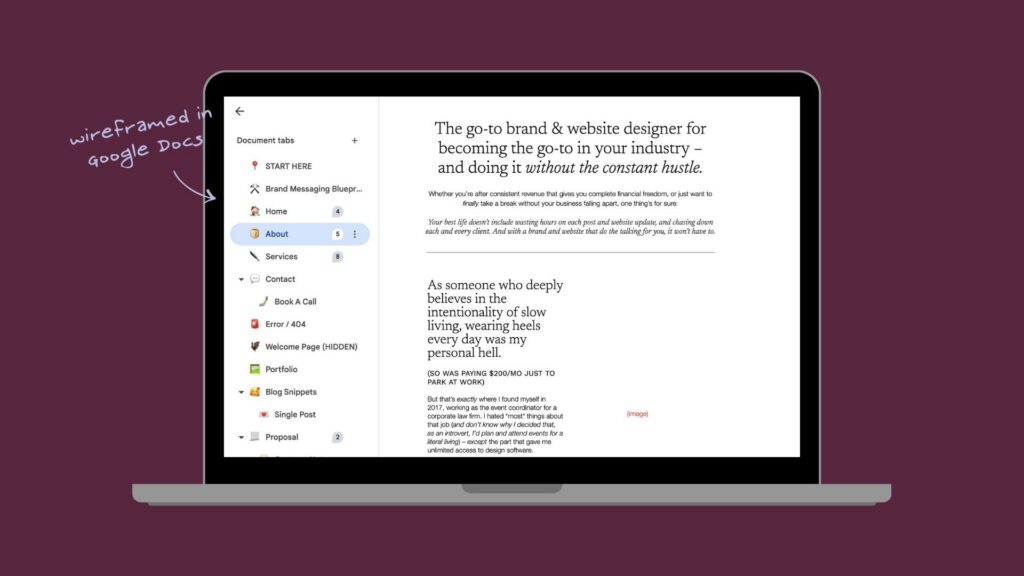
How wireframed website copy makes the design process simple
FIRST THINGS FIRST: wireframed website copy is a suggestion, not a binding agreement! I’m lucky to partner with some of the absolute best website designers (DM me for rec’s!) for client projects, and wholeheartedly trust them to turn copy drafts into perfect final website designs.
It does make the design stage of the process much easier though, because wireframing takes into account:
- Headings
- Subheadings
- Eyebrow headings
- Buttons
- Line & paragraph breaks
- Italics + other text accents
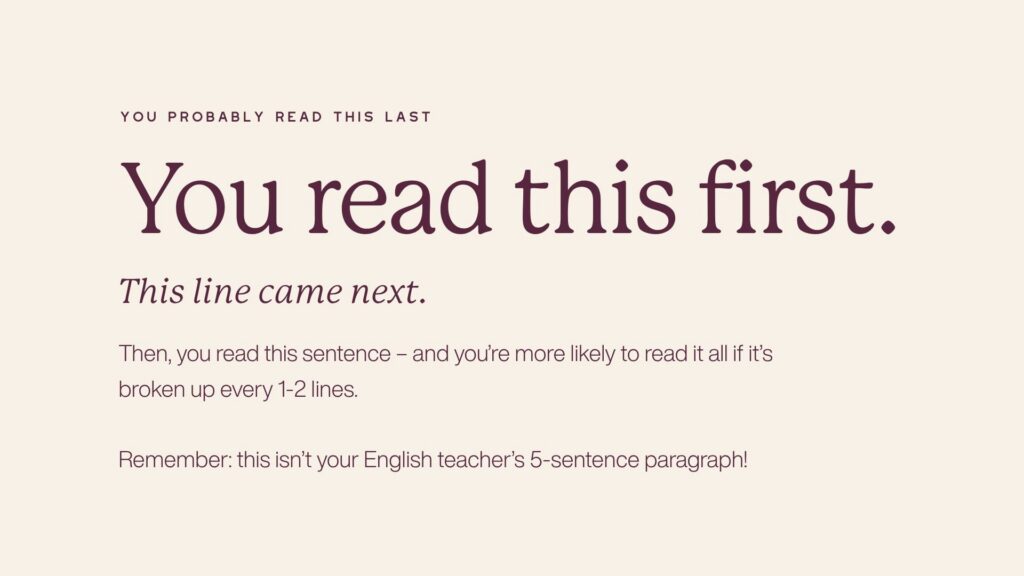
Thinking about visual hierarchy while writing your website means the meaning of your words will be preserved when people are reading them on your published website (instead of the good stuff getting lost in a sea of text).
A real quote from a website copy client, who happens to be a website designer:
Q: What’s one thing I should keep doing for all my clients?
A: “WIREFRAMED COPY. That shit is awesome. I wanted to cry tears of joy when I saw it. Not that I couldn’t have done it (obvi), but it was just so nice to have the option and general guidance/vision there which made everything easy peasy lemon squeeze-y to design — because as you know, designing your *own* website is hard af.” — Casey Kuhr, Lulo Creative Studio
From draft to published site: side-by-side website copy wireframes & their final designs
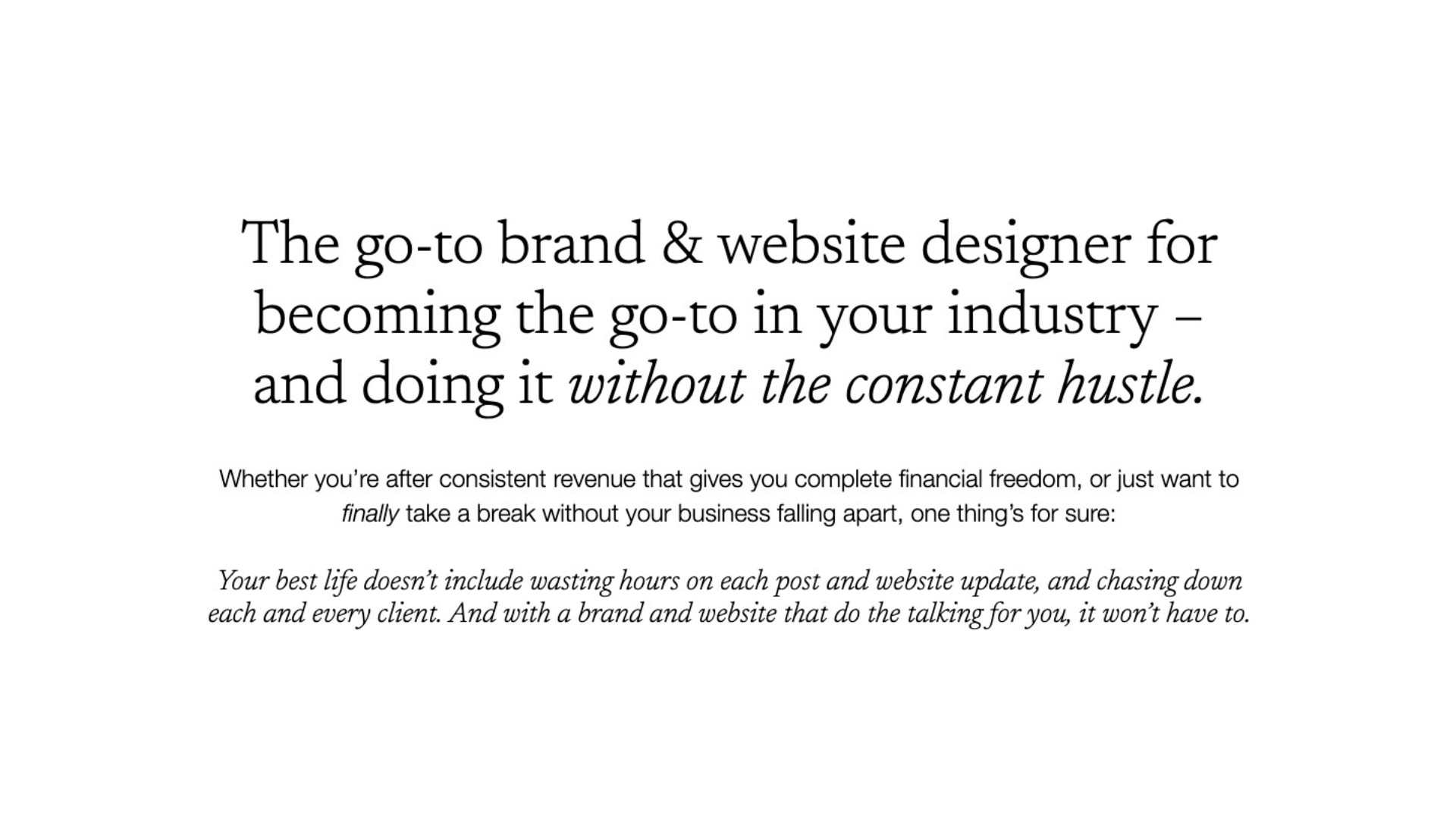

Website Copy Client: Saela Studio
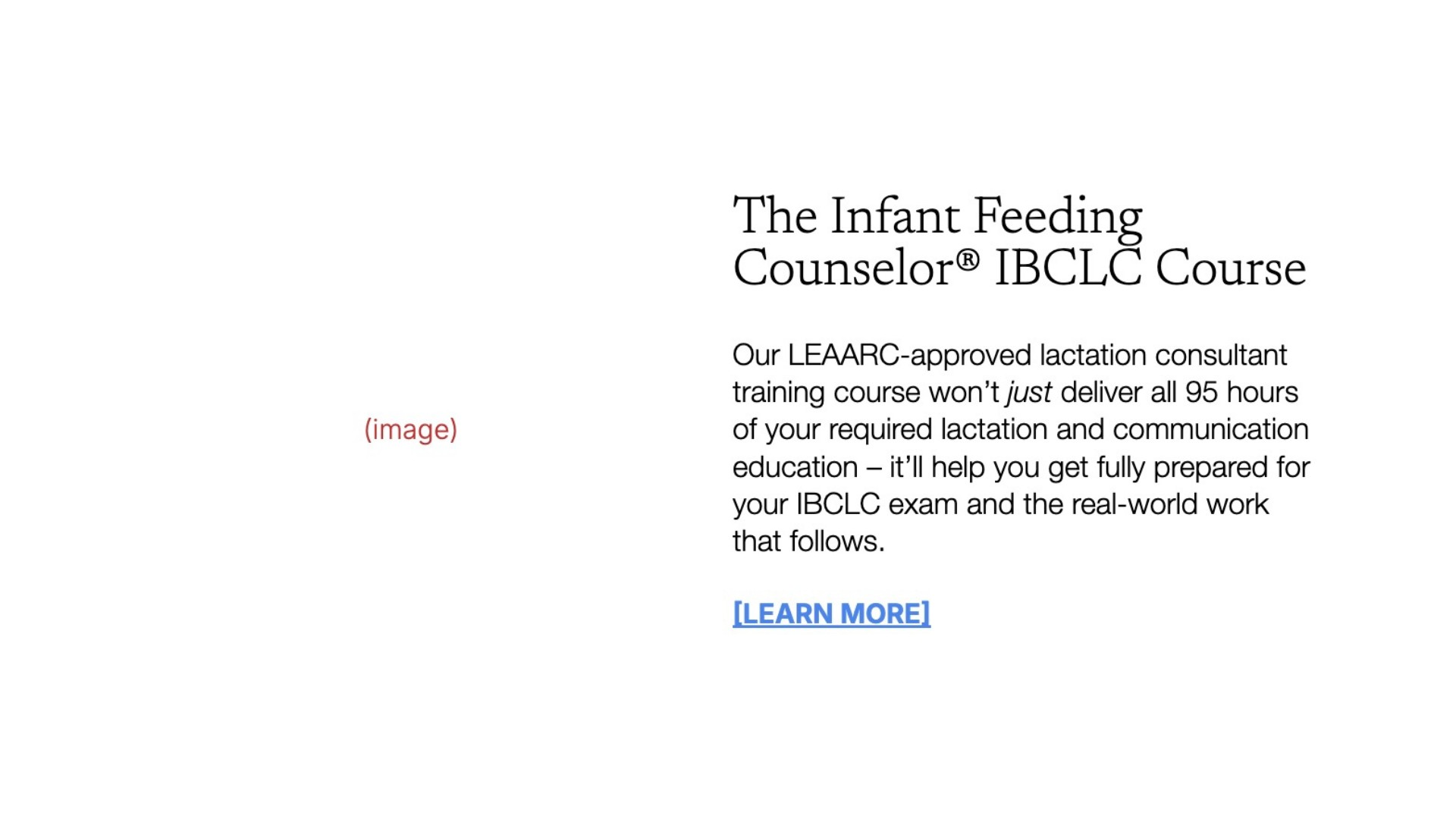
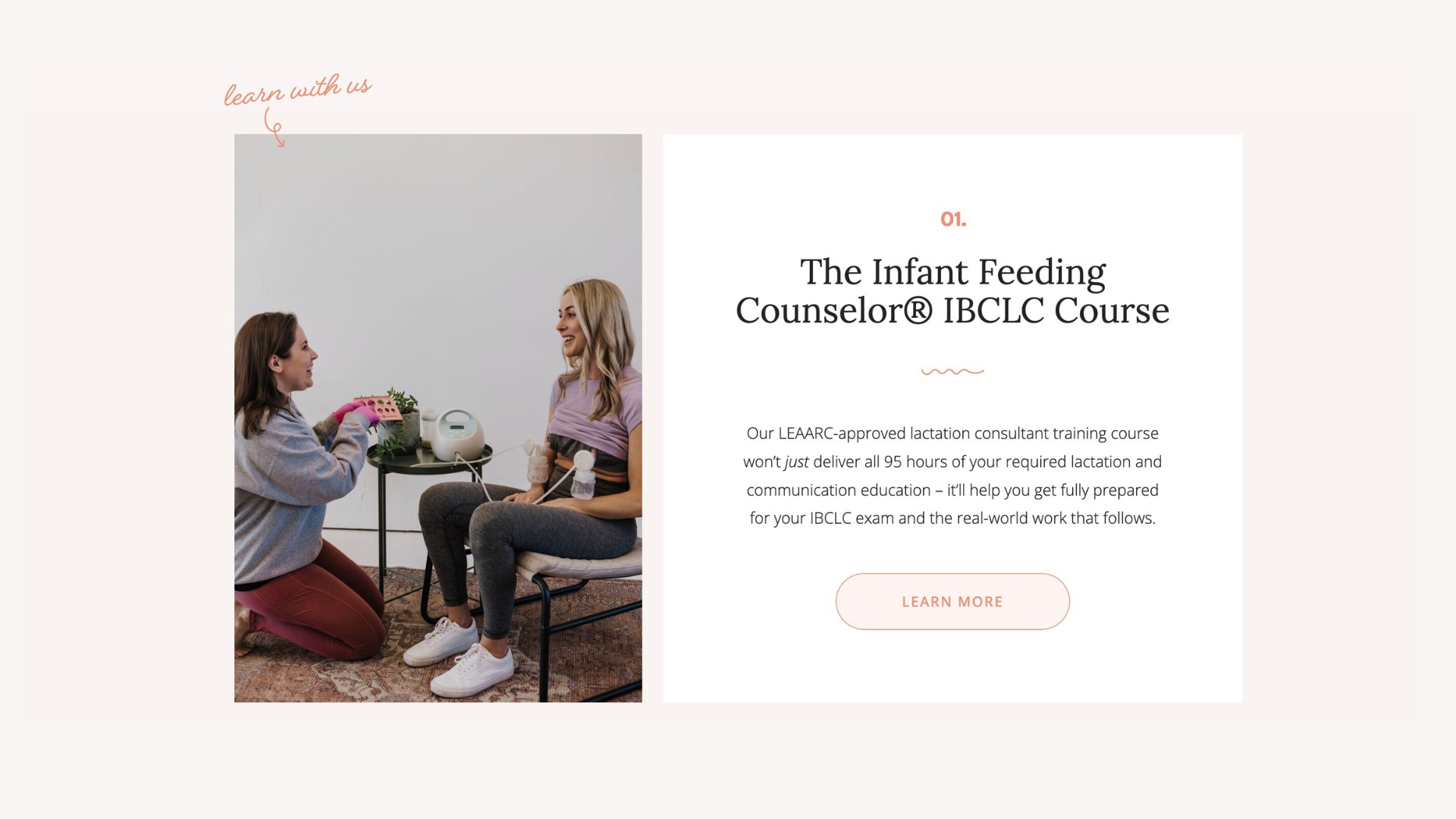
Website & Sales Page Copy Client: Feeding Families Education & Consulting
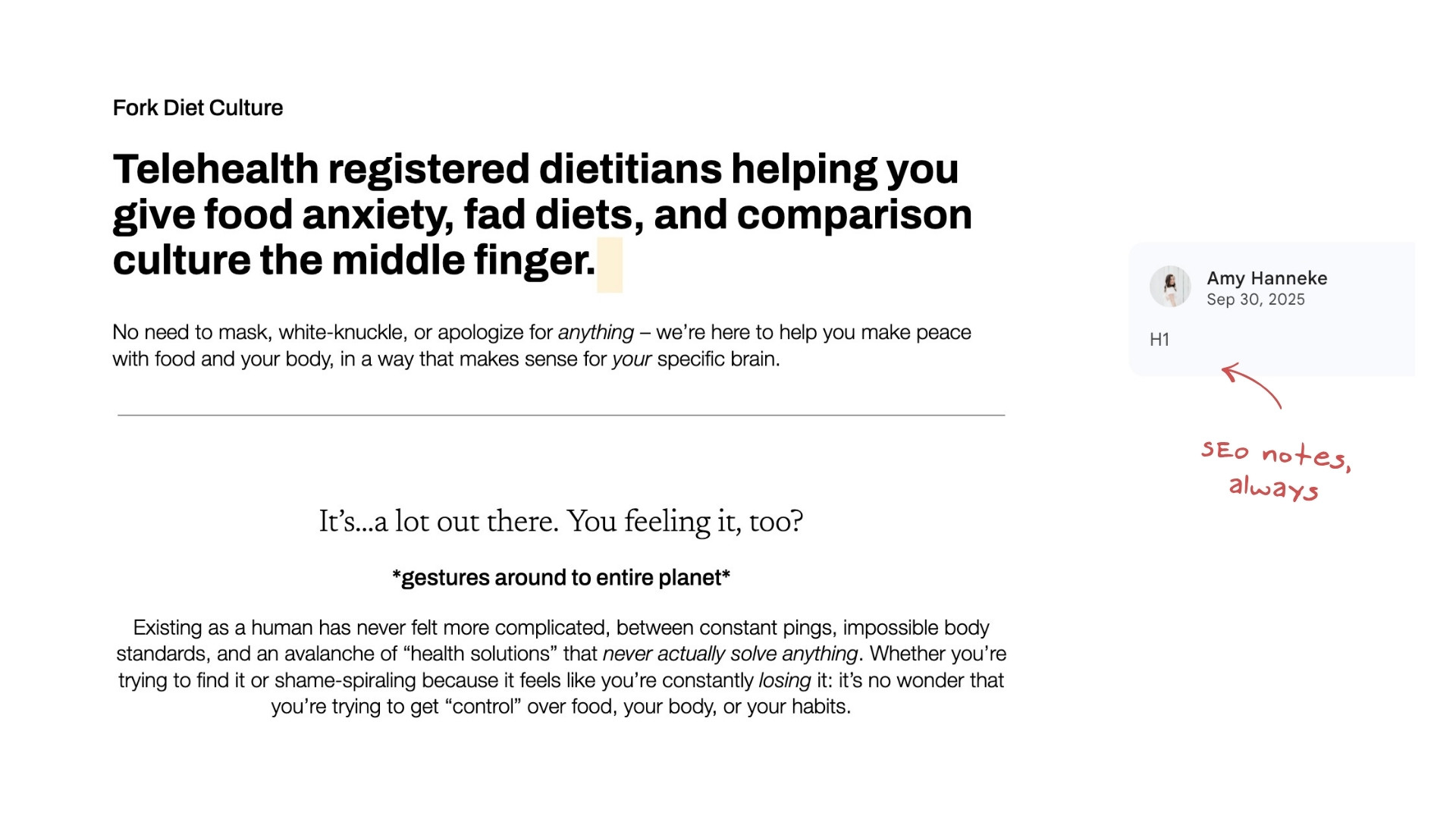
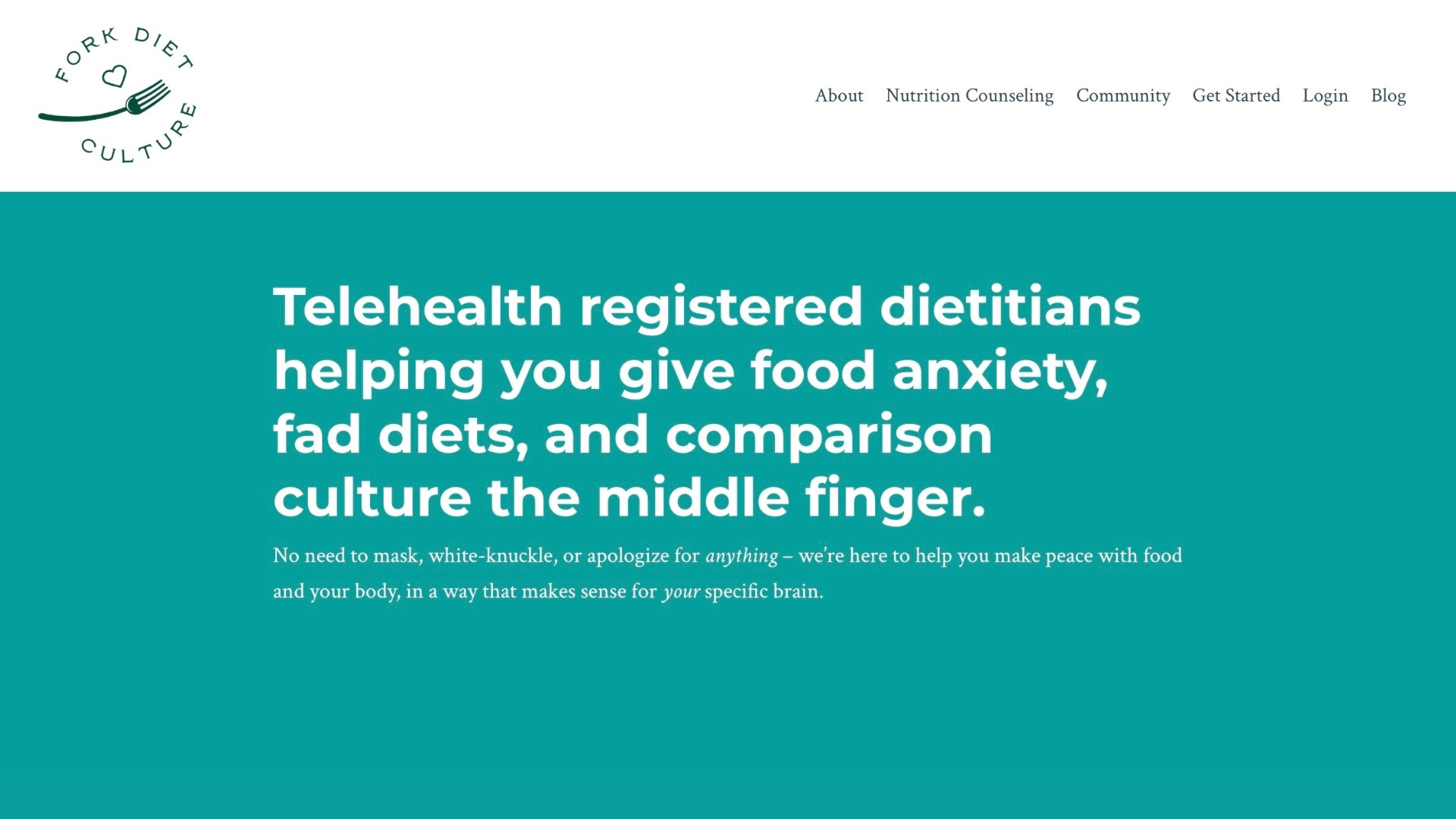
Website Copy Client: Fork Diet Culture
Wireframed website copy leads to better results — whether you’re DIY-ing your design or partnering with a pro
I’m regularly asked where to start with hiring website help if you have a limited budget and can’t do it all at once — and if you’re comfortable with basic website design in your specific builder (Squarespace, Showit, etc), wireframing is why I recommend starting with a copywriter.
If you’re DIY-ing, wireframed copy means you no longer have to worry about…
- Where to put buttons + what they should say
- How to properly lay out your page so it looks balanced and engaging
- Where images can and should go
And of course, as the thing that drives website conversion, copy can bring you a tangible increase in traffic, inquiries, and bookings (as long as you can get it live on your website) — and since copy stays relevant indefinitely (or until your offers/audience change), you can use the ROI to invest in brand and website design, brand photos, etc. more comfortably in the future.
>> I’ve written countless websites that are seeing a major return — click here to learn more about how I can support you with yours!
Other things to think about when writing & wireframing your website
Even if you’re using a template, I still recommend writing your website copy in a Google Doc (you can use tables + formatting to make it look like your template and help you visualize things!).
>> Picking a Showit template? Here’s my guide to vetting them + links to the best ones out there!
If you’re designing your own website, this is a great time to play with headings (both how they look and what they say) and pre-plan every last detail, from your button microcopy to your accent text!
Other things to consider:
- Where you’ll use your keywords (trick: ctrl-F to find your keyword in your copy doc and make sure you used it throughout the page! No idea what I’m talking about? You’ll want to grab access to Search Party, my SEO mini-workshop with Comma Mama Co!)
- How your sections flow into each other — each one should lead the reader naturally to the next, not feel like a new topic dropped out of nowhere
- Where your calls to action (buttons) live, how many to place on each page, where each one will link to, and what they’ll say
- The length of your sections relative to each other — a wall of text next to a two-line section feels off even when the writing is good. Wireframing helps you catch this before you’re inside a builder trying to make it work!
Your own wireframed website copy is closer than you think.
Here’s how I can help you get wireframed (AKA, website-ready) copy:
- Grab a website copy template — each one of the Skip The Stuck!™ templates is neatly wireframed and can serve as both your copy template and your design outline if you’re DIY-ing from scratch
- Join Cook Your Copy, my 4-week done-with-you website copywriting program, and get complete access to website copy templates, resources, and my support (!) so you can be 100% sure your copy is ready to convert
- Have me do it for you — I wireframe all of my website copy projects (and optimize them for SEO) so you’re covered on layout, whether you’re hiring a designer or doing it yourself